
Auto-Apply Coupons & Cashback on Shopping
Overview
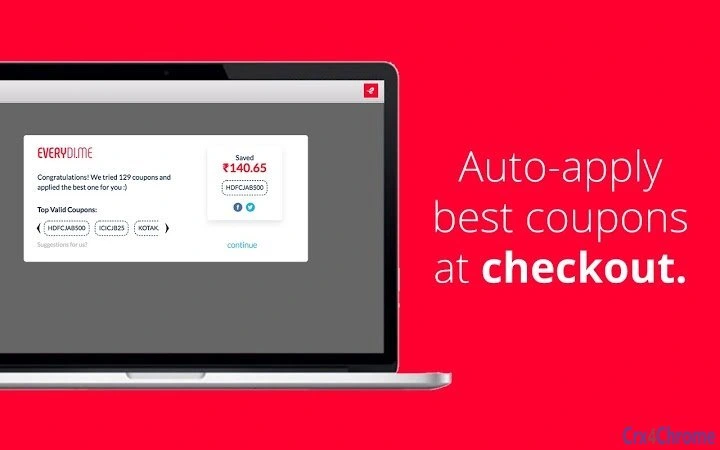
Everydime is a Chrome extension designed to simplify online shopping by automatically finding and applying the best available coupons and promo codes at checkout. The tool eliminates the need for manual research, enabling users to save effortlessly across major Indian e-commerce platforms such as Jabong, Myntra, KOOVS, HealthKart, and PepperFry. By operating in the background, the extension remains inactive until a shopping session begins, ensuring minimal interference with browsing.
It targets consumers who frequently shop online and value time-saving solutions without compromising on savings. The extension works seamlessly within the Chrome browser, integrating directly with shopping carts to detect and apply discounts automatically. Users benefit from guaranteed working coupons and direct cashback transfers to their account, streamlining the entire shopping experience.
Developed by Everydime, the tool positions itself as a secure, free, and user-friendly shopping assistant. The developer did not provide additional details about the company’s history or technical infrastructure. Real-world usage scenarios include regular shoppers, budget-conscious buyers, and those seeking a hands-off approach to maximizing savings during online purchases.
Key Features & Capabilities
- Auto-Apply Coupons – Automatically detects and applies the best available coupon code at checkout, removing the need for manual input.
- Real-Time Cashback Integration – Transfers cashback directly to the user’s account after a successful purchase.
- Multi-Platform Support – Works across popular Indian e-commerce sites including Jabong, Myntra, KOOVS, HealthKart, and PepperFry.
- Background Operation – Remains inactive until a shopping session begins, minimizing system impact.
- Seamless Browser Integration – Runs within the Chrome browser without requiring external applications or complex setup.
These features are particularly useful for users who want to save time and avoid missing out on discounts. For example, when adding items to a cart on Myntra, Everydime activates and applies the most beneficial offer. The extension also ensures that the applied coupon is valid and functional, reducing the risk of failed transactions due to expired or incorrect codes.
By automating the coupon search and application process, Everydime reduces decision fatigue and increases confidence in the savings achieved. It is ideal for consumers who prioritize convenience and consistent savings across multiple shopping platforms.
User Interface, Workflow & Performance
The user interface of Everydime is minimal and designed for transparency. As a browser extension, it does not have a standalone desktop application interface. Instead, it operates through the Chrome browser’s extension panel, displaying a small icon that indicates its active status.
Navigating the extension is straightforward: users simply add items to their cart, proceed to checkout, and Everydime handles the rest. The workflow is optimized for speed and efficiency, with no additional steps required from the user. The extension does not interrupt the shopping process, maintaining a smooth and uninterrupted experience.
Performance observations are based on general software behavior patterns. The developer did not specify resource usage details. However, given its small file size of 1.2 MB and background operation model, it is expected to have a low impact on system performance. Stability is maintained through automatic updates and integration with Chrome’s extension ecosystem.
Compatibility & System Requirements
Everydime is compatible with Windows, Mac, and Linux operating systems, making it accessible to a wide range of users. It is designed specifically for the Chrome browser, requiring no additional software or plugins to function.
The extension has a file size of 1.2 MB, which indicates a lightweight footprint. Exact system requirements were not listed, but the extension is expected to run on standard modern hardware with a stable internet connection. Compatibility information was partially provided, with no mention of older operating system versions or specific browser versions.
Users should ensure their Chrome browser is up to date to maintain full functionality and security. The extension does not require administrative privileges for installation or operation.
Pros and Cons
Pros
- Automatically applies the best available coupons at checkout
- Direct cashback transfer to user accounts
- Supports multiple major Indian e-commerce platforms
- Runs in the background with minimal system impact
- Free to use with no hidden costs
Cons
- Only available for Chrome browser
- Limited to Indian e-commerce sites
- Dependent on browser updates and Chrome’s extension policies
- Exact performance and resource usage details not specified
- Does not support other browsers like Firefox or Edge
FAQ Section
Is Everydime free to use?
Yes, Everydime is completely free. There are no subscription fees or hidden charges for using the extension.
Does Everydime work on all e-commerce websites?
No, it currently supports select Indian e-commerce platforms including Jabong, Myntra, KOOVS, HealthKart, and PepperFry. Support for additional sites may be added in future updates.
Is my data secure when using Everydime?
Yes, the extension is designed to be secure. It does not store sensitive user data and operates within the browser’s security model. However, users are advised to review the Terms & Conditions for full details.
How often does Everydime update?
Updates are automatically handled through the Chrome Web Store. The extension receives regular updates to maintain compatibility and improve functionality.
Can I use Everydime offline?
No, Everydime requires an active internet connection to search for and apply coupons in real time. It cannot function without online access.
Final Thoughts + CTA
Everydime offers a practical solution for Indian online shoppers who want to maximize savings without the hassle of manual coupon hunting. Its ability to auto-apply the best deals and transfer cashback directly to the user’s account sets it apart as a reliable shopping assistant. While it is limited to Chrome and specific e-commerce platforms, its lightweight design and zero cost make it a compelling choice for budget-conscious consumers.
For anyone who shops frequently on Indian online marketplaces, Everydime delivers consistent value with minimal effort. It combines automation, security, and ease of use in a single tool that fits seamlessly into the shopping workflow.
Download Everydime now and start saving effortlessly on every purchase.







